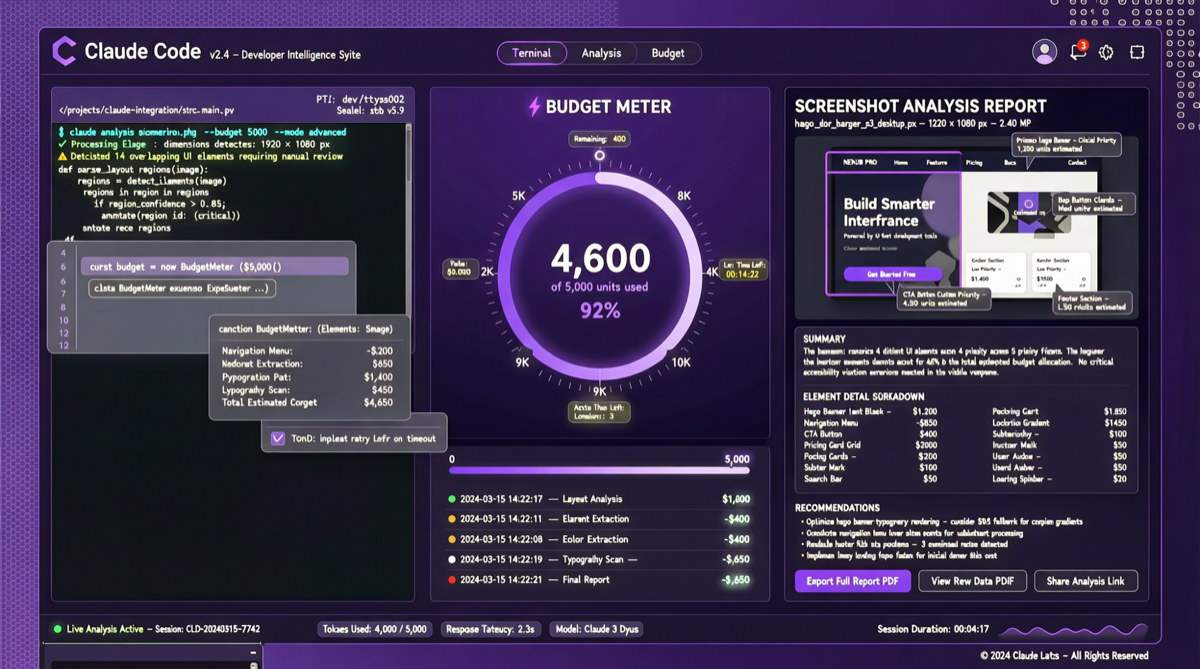
In Anthropic’s April update list, Claude Code’s upgrades may be more impactful for developers than the model iteration itself.
This is not a model version number jump — it is two capabilities that directly change developers’ daily experience: Task Budgets and High-Resolution Vision.
Core Changes
1. Task Budgets Public Beta: From Bottomless Pit to Controllable Cost
Previously, Claude Code’s token consumption was a black box. Developers could hardly predict how many tokens a complex task would consume, let alone set limits. Task Budgets solves this:
- Precise budget control: Set token consumption caps per task
- Timeout management: Set task runtime thresholds
- Cost transparency: Real-time token consumption progress view
- Auto-interrupt: Automatically stops when budget limit is reached
This is critical for enterprise usage — nobody would let an AI agent run freely in production without budget control.
2. High-Resolution Vision: A Quantum Leap in Screenshot Analysis
Claude Code previously supported basic vision, but resolution limits hampered complex UI screenshots, code screenshots, and design mockups. The new high-resolution capability:
- Clearer screenshot understanding: Accurately identifies high-res UI elements
- Code screenshot analysis: Read and analyze code directly from screenshots
- Design mockup reproduction: Generate more precise frontend code from design screenshots
- Bug screenshot debugging: Quickly locate issues through error screenshots
Combined with Existing Claude Code Capabilities
Combined with previously released features, Claude Code’s complete capability stack:
| Capability | Status | Description |
|---|---|---|
| Async Mode | ✅ Live | Run long tasks in background |
| Mobile Push Notifications | ✅ Live | Receive completion alerts on phone |
| Remote Development | ✅ Live | Connect to remote servers |
| Template System | ✅ Live | Preset project templates |
| Plugin System | ✅ Live | Extend Claude Code |
| Task Budgets | 🔄 Beta | New: Budget control |
| High-Resolution Vision | ✅ Live | New: High-precision screenshot analysis |
Practical Impact on Developer Workflows
Scenario 1: Frontend Development High-resolution vision enables Claude Code to more accurately generate frontend code from design mockups. Developers just upload a Figma screenshot, and Claude Code reproduces the UI with higher precision.
Scenario 2: Bug Fixing User uploads error screenshot → Claude Code analyzes error via high-res vision → Locates code position → Auto-fixes → Task Budgets controls the fix cost.
Scenario 3: Large-Scale Refactoring With Task Budgets set, developers can safely let Claude Code execute large-scale code refactoring without worrying about token consumption running wild.
Horizontal Comparison: Claude Code vs Other Programming Agents
| Feature | Claude Code | Cursor | GitHub Copilot |
|---|---|---|---|
| Task Budget Control | ✅ Beta | ❌ | ❌ |
| High-Resolution Vision | ✅ | Basic | Basic |
| Async Mode | ✅ | ❌ | ❌ |
| Mobile Notifications | ✅ | ❌ | ❌ |
| Remote Development | ✅ | Partial | ❌ |
| Template System | ✅ | ✅ | ❌ |
Claude Code leads in feature completeness. Task Budgets is especially important — it is the key threshold for enterprise adoption.
Action Recommendations
Try immediately:
- If you have Claude Code subscription, enable Task Budgets beta in settings
- Test your daily screenshot analysis scenarios with high-res vision
- Set budget templates for common task types
Suitable scenarios:
- Internal team Claude Code deployment requiring cost control
- Frontend teams frequently handling design mockup reproduction
- DevOps teams needing remote server programming
Bottom line: The core signal of Claude Code’s April update is clear — the programming agent competition has shifted from “who is smarter” to “who is more controllable.” Task Budgets is the final threshold for enterprise adoption, and Anthropic has crossed it.