Bottom Line
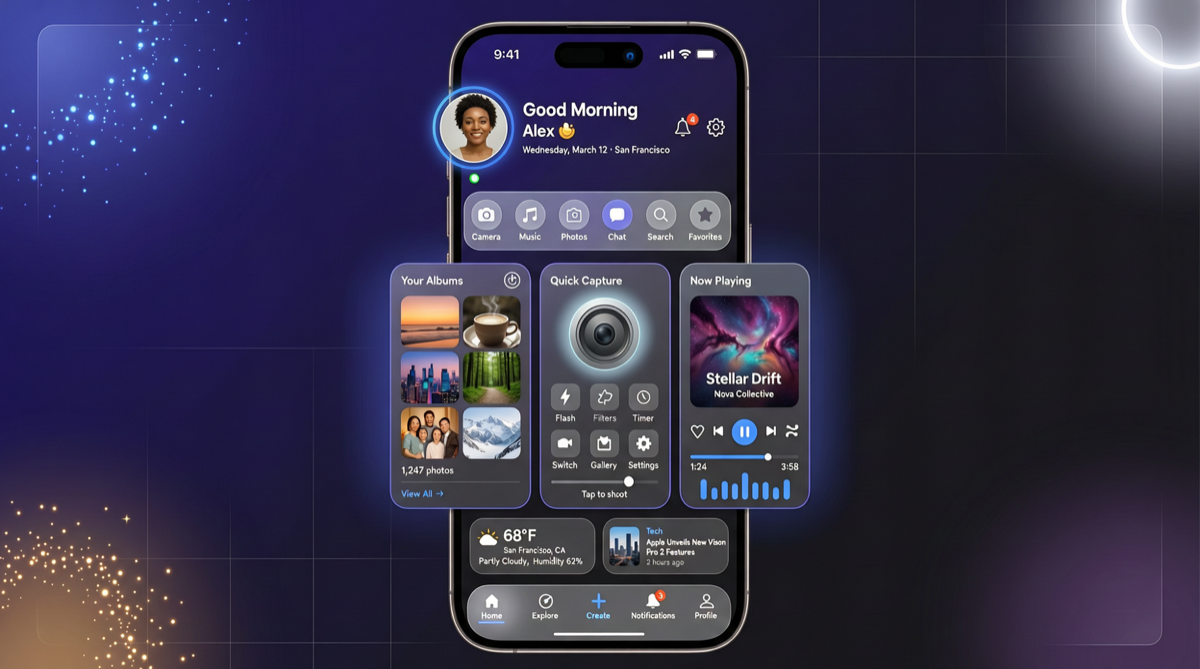
The Gemini App’s complete redesign is not a simple UI update — it is Google’s experiment in redefining “what an AI assistant should look like.” The new interface abandons the traditional “chat dialogue box” model in favor of a card-based entry + daily proactive push paradigm.
This directly competes with Apple Intelligence’s “personal intelligence” narrative — Google is proving that an AI assistant should not just be a chatbot that answers questions, but a digital butler that proactively manages your schedule, tasks, and information.
Redesign Details
Complete UI Overhaul
| Change | Old Version | New Version |
|---|---|---|
| Overall style | Light dialog box | Dark mode + gradient background |
| Logo position | Top-left corner | Centered |
| Main interaction | Bottom input box | Five quick-access cards |
| Launch experience | Direct chat entry | Daily suggestions displayed first |
Five Quick-Access Cards
- Photos: Ask questions about or edit photos directly
- Camera: Real-time visual understanding
- Music: Music identification and recommendations
- Canvas: Document generation and collaborative editing
- Research: Deep information retrieval and summarization
Daily Brief Feature
This is the most strategically significant feature of the redesign:
- Automatically generates schedule, task, and email summaries every morning
- Based on Google personal account data (Calendar, Gmail, Tasks)
- Supports marking tasks as complete or following up with Gemini in conversation
- Essentially a “daily AI morning briefing”
Why This Redesign Matters
1. From Passive to Proactive
Traditional AI assistants operate on “you ask, it answers.” The Daily Brief model is “it proactively tells you what you need to know.”
The deeper significance: Google is building Gemini into an OS-level intelligence layer. When your day starts with Gemini’s morning briefing, the open rates of other AI apps will naturally decline.
2. Card-Based Entry vs. Chat Box
The card design choice reveals Google’s product philosophy:
- Chat box model (ChatGPT/Claude): Users need to know “how to ask”
- Card model (Gemini new version): Google presets your most common scenarios
This lowers the barrier to using AI but limits flexibility. Both models have their merits.
3. Relationship with Google I/O 2026
This redesign is part of a series of actions ahead of the I/O conference. Combined with previously leaked information:
| Rumor | Status | Expected Timing |
|---|---|---|
| Gemini Flash 3.2/3.5 | In testing | I/O conference |
| Omni Model (video generation) | In development | I/O conference |
| Spark Robin (visual model) | In development | I/O conference |
| App full redesign | ✅ Already live | Pushed |
| Daily Brief | ✅ Already live | Pushed |
Landscape Assessment
Impact on Apple Intelligence:
- Apple Intelligence’s “personal intelligence” narrative centers on “AI understands your personal data”
- Gemini’s Daily Brief directly replicates this narrative, and the Google ecosystem data (Gmail, Calendar) it is based on is richer than Apple’s
- But Apple’s advantage lies in on-device privacy; Google’s cloud-based approach may be at a disadvantage with privacy-sensitive users
Impact on ChatGPT:
- ChatGPT currently has no equivalent “daily proactive push” feature
- OpenAI’s ChatGPT app is more of a fully-featured AI tool than a “butler”
- If the Daily Brief model proves successful, OpenAI may follow suit
Actionable Advice
- iOS users: If your Google account has rich calendar and email data, the Daily Brief experience will be excellent. Enable it in Gemini App settings
- Android users: The Android version is expected to receive the same redesign around I/O. You can wait
- Developers: Watch for API changes in Gemini App — the data sources for Daily Brief may open via API, spawning a new application ecosystem