Core Conclusion
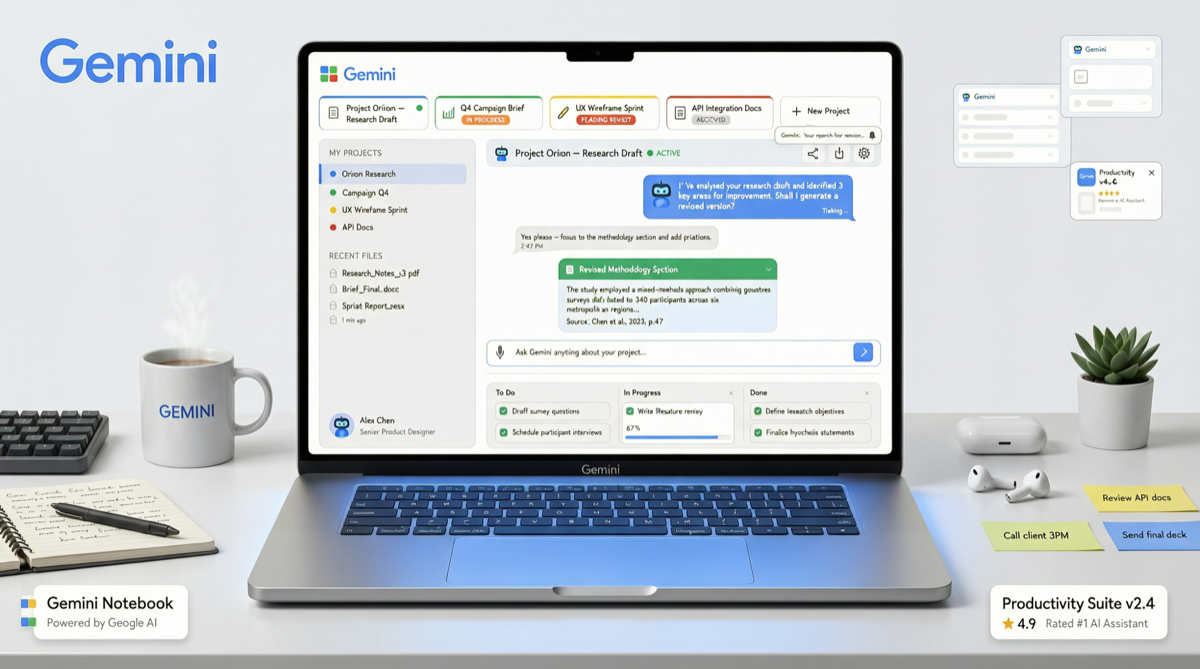
In early May 2026, Google intensively updated the Gemini product line, with most updates released without fanfare. The most notable change is Project Notebooks — a feature providing each project with an independent workspace, solving the most persistent problem of long-term AI assistant use: “context loss” and “repeated setup.” Meanwhile, iOS app redesign and new model testing are advancing in parallel.
Breaking Down the 7 Updates
1. Project Notebooks (Most Important)
Pain point: Every time you talk to Gemini, you have to re-explain project background, repeat rules, re-upload files.
Solution: Project Notebooks gives each project an independent space:
- Upload project files, Gemini automatically builds context
- Set custom instructions, permanently effective
- Conversation history categorized by project, no cross-talk
| Scenario | Without Notebooks | With Notebooks |
|---|---|---|
| Writing a paper | Re-explain research direction every time | Project space saves all reference materials and rules |
| Development project | Repeat tech stack and code specs | Codebase and docs loaded, start directly |
| Data analysis | Re-upload CSV and re-explain each time | Dataset permanently linked to project |
| Multi-project management | Context mixed together | Projects fully isolated from each other |
Actual impact: This essentially solves the AI assistant “memory management” problem. From “every conversation is with a stranger” to “each project has an assistant who understands you.”
2. Gemini iOS App Redesign
- New UI, emphasizing conversation continuity and context management
- Bottom navigation bar reorganized, Notebooks entry more prominent
- Voice interaction optimization
3. Gemini Flash 3.2/3.5 Internal Testing
According to leaked information, the new generation Flash model is being tested:
- Faster inference speed
- Lower cost
- May be officially announced at Google I/O
4. Omni Model Progress
Rumored unified multimodal model, potentially integrating text, image, and video generation capabilities.
5. Veo Video Model Update
Possibly competing with ByteDance Seedance, improving video generation quality and duration.
6. “Spark Robin” Visual Model
Rumored new visual model, limited specific information available.
7. Custom Instruction Persistence
Linked with Notebooks, custom instructions can be saved at the project level, no need to re-enter each time.
Comparison with Competitors
Google Project Notebooks competitors:
| Product | Similar Feature | Differences |
|---|---|---|
| ChatGPT Projects | Project space, file upload | ChatGPT launched earlier, but Notebooks more deeply integrated |
| Claude Projects | Project-level knowledge | Claude knowledge depth stronger, but Gemini has multimodal advantage |
| NotebookLM | Document-driven analysis | NotebookLM focused on analysis, Notebooks focused on general workflows |
| Perplexity Collections | Collections and search | Collections focused on information aggregation, not workspaces |
Google Notebooks unique value lies in its deep integration with Google Workspace (Docs, Sheets, Drive) — you do not need to manually upload files, just link directly from Drive.
Actual Impact on Users
Regular Users
- Available today: Open gemini.google.com, create your first Notebook
- Immediate value: Put repetitive tasks (weekly reports, document translation, data analysis) into Notebook, continue directly next time
- No need to learn new things: Interaction method unchanged, just adds a “project folder” concept
Power Users
- File management strategy: Organize Drive folders by project, link directly to Notebooks
- Custom instruction library: Build instruction templates for different Notebook types
- Cross-device sync: Notebooks follow Google account, seamless switch between phone/computer
Developers
- API changes: Watch whether Gemini API supports Notebook-level context management
- Integration opportunities: If your tool needs AI assistant, Notebook mode may affect integration approach
Landscape Judgment
Google is transitioning from “a chatbot” to “a set of AI workflow platforms.” Project Notebooks is a key step in this transition:
- Past: Gemini is a chat window you occasionally open
- Now: Gemini is a resident assistant for each of your projects
- Future: Gemini deeply integrates with Workspace, becoming the brain of the office suite
This also explains why Google is doing “silent releases” — these are not marketing gimmicks, but incremental product improvements. Users will naturally feel the changes in daily use, rather than needing to be convinced by “major announcements.”
Action Items
- Today: Log into Gemini, create your first Notebook, upload a project file you are working on
- This week: Create 3 Notebooks for your 3 most common task types, set custom instructions
- This month: Evaluate whether Gemini Notebooks is suitable for your team collaboration scenarios (currently mainly personal use)
- Watch for: Google I/O 2026 may announce more about Gemini roadmap, including Flash 3.x official release
AI assistants are evolving from “conversation tools” to “work platforms.” Google Notebooks is the latest example of this trend — the key is not how smart the model is, but whether it can become a reliable part of your daily workflow.