Key Takeaway
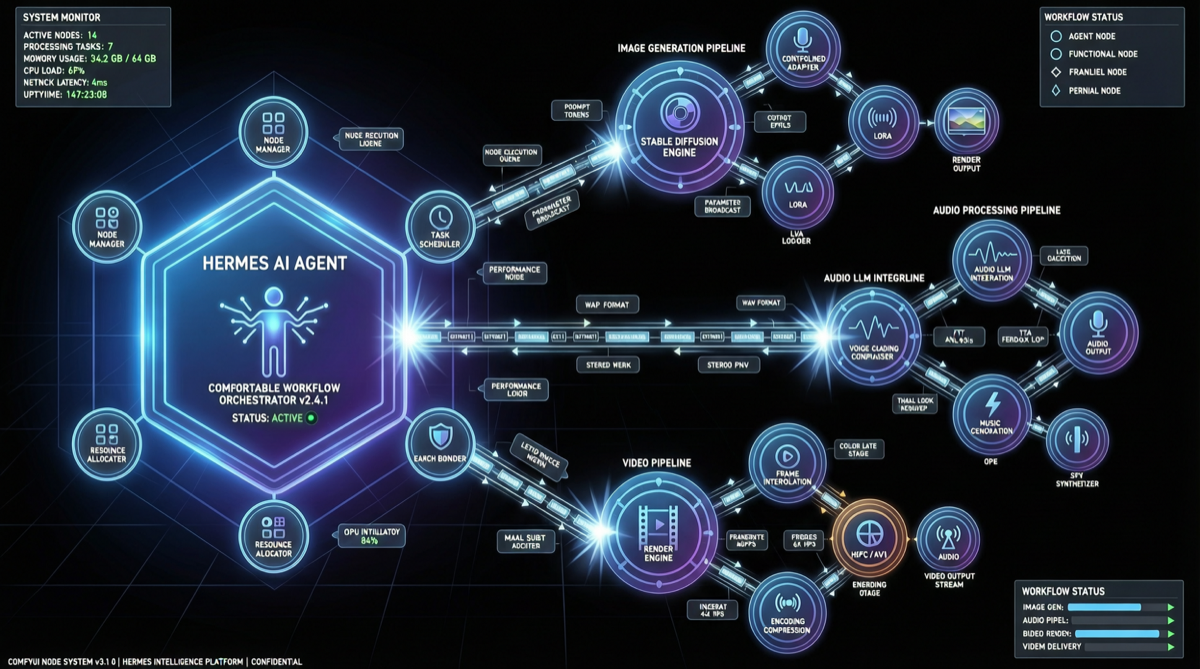
Hermes Agent has officially integrated ComfyUI — the most flexible and powerful open-source media generation tool. The agent can now automatically install, launch, manage, and run complex ComfyUI workflows locally, covering image generation, audio processing, and video pipeline construction.
One command, and the agent sets up the environment, configures nodes, runs the workflow, and delivers results. Creative production has shifted from "humans operating tools" to "agents orchestrating pipelines."
What Happened
On April 29, Hermes Agent officially announced its ComfyUI integration. ComfyUI is a node-based open-source media generation platform with a massive ecosystem of custom nodes — currently the most mainstream workflow orchestration tool in the creative space.
The integrated capabilities:
| Capability | Specific Features |
|---|---|
| Environment Management | Agent auto-detects dependencies, installs ComfyUI and custom nodes |
| Workflow Construction | Generates ComfyUI node graphs from natural language descriptions |
| Batch Execution | Runs workflows with set parameters, auto-collects outputs |
| Pipeline Orchestration | Chains image → audio → video multi-stage processing |
| Error Recovery | Auto-diagnoses failures and adjusts parameters for retry |
Why It Matters
1. From "Assistive Tool" to "Autonomous Producer"
Previously, AI in creative fields followed: human designs workflow → AI executes single-step generation. The Hermes Agent + ComfyUI combination flips this — the agent can autonomously build and optimize workflows; humans only describe the end goal.
2. Open-Source Alternative to Lovart
Industry observers note that Hermes Agent's ComfyUI integration positions it to compete with Lovart, a trending AI creative platform using Claude 3.6 for automated image/video generation. But Lovart is a closed-source SaaS product, while Hermes Agent + ComfyUI is a fully open-source stack — deployable locally, data stays on-premise.
3. Composable Creative Workflows
ComfyUI's node-based architecture means each generation step is an independent, replaceable module. The agent can freely compose within this architecture: swap model weights, tune sampling parameters, add post-processing nodes — flexibility that end-to-end products like Midjourney can't match.
Community Response
| Metric | Value |
|---|---|
| Tweet engagement | 3,245 likes / 290 retweets / 196 comments |
| Bookmarks | 2,452 |
| Views | 309K+ |
Community feedback clusters around two camps:
- Technical: Can the agent precisely control ComfyUI's complex parameter space?
- Application: Expecting "describe need → auto generate image/video" one-stop experience.
Landscape Assessment
Current Positioning
Hermes Agent's ComfyUI integration extends it from a "code/text agent" to a "full-stack creative agent":
| Solution | Open Source | Local Deploy | Workflow Orchestration | Multimodal |
|---|---|---|---|---|
| Hermes Agent + ComfyUI | ✅ | ✅ | Node-based | Image/Audio/Video |
| Lovart | ❌ | ❌ | Linear | Image/Video |
| Claude Design | ❌ | ❌ | Limited | Image-focused |
What to Watch Next
- Node Coverage: Which ComfyUI custom nodes are supported? SDXL, Flux, video model coverage
- Workflow Memory: Can the agent learn and reuse successful workflow configurations
- Multi-Agent Collaboration: Can creative tasks be split across multiple agents for parallel processing
Actionable Advice
If you use ComfyUI:
- Try automating repetitive workflows with Hermes Agent (batch generation, parameter sweeps)
- Save frequently used node combinations as reusable Skills
If you're evaluating creative AI tools:
- Need local deployment/data privacy → Hermes Agent + ComfyUI is the top choice
- Want simplest UX → Lovart or Claude Design
- Need API integration → Watch Hermes Agent's API roadmap
If you're a developer:
- ComfyUI's custom node ecosystem is the key differentiator — building nodes for new models/pipelines has commercial value