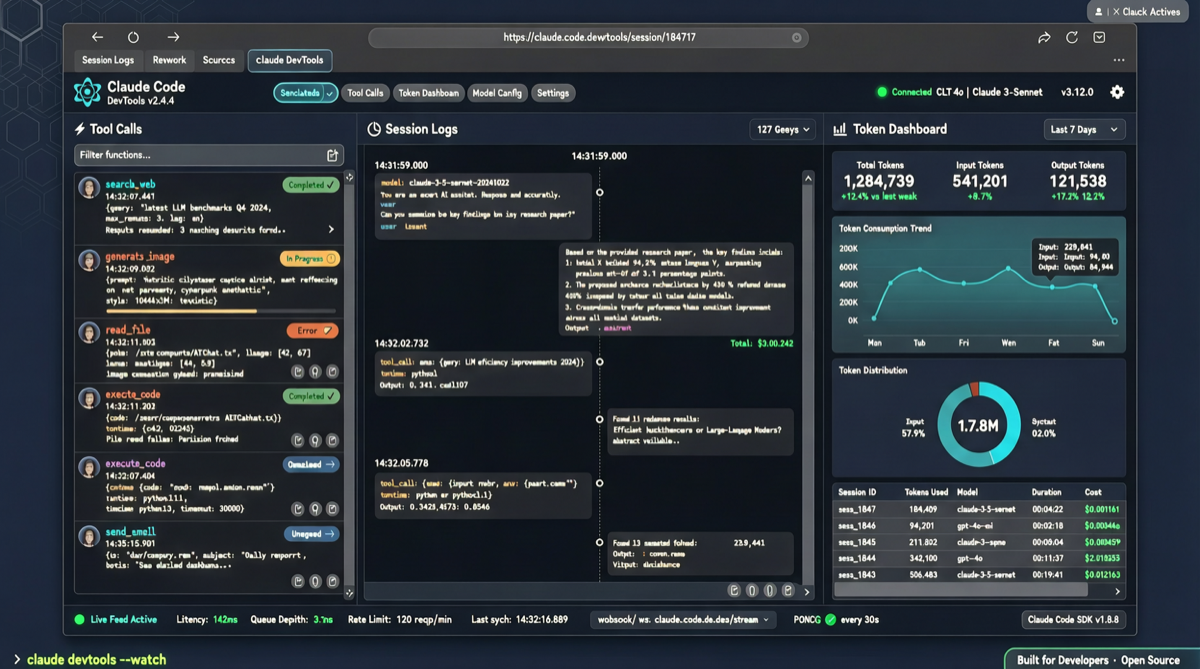
Coding with Claude Code feels great—until you ask “what is it actually doing right now” and get nothing but guesswork. An open-source project is changing that.
Developer matt1398 released claude-devtools (formerly named Claude Code Context), an Electron desktop app that provides a browser DevTools-like visual debugging interface for Claude Code. The project hit 3.2k Stars within two weeks of launch, with the latest commit made yesterday, showing strong community momentum.
The Problem It Solves
Claude Code runs in the terminal, and all session logs, tool calls, subagent generation, and context window changes flow as text—making it hard to see “what the Agent is doing right now.” claude-devtools extracts this information and displays it graphically:
| Feature | Description |
|---|---|
| Session Logs | Real-time display of full conversation history for current Claude Code sessions |
| Tool Calls | Visual view of each Tool Call’s inputs and outputs |
| Token Usage | Per-request token statistics for context optimization |
| Subagent Status | Monitor subagent creation, execution, and completion |
| Context Window | Real-time display of current context utilization |
Why It Matters
AI Agent observability is emerging as its own category. claude-devtools’ approach is clear: it doesn’t replace Claude Code, it acts as its “debug panel.” This is especially useful for three groups:
- Prompt engineers: Need to trim prompts to save tokens, but can’t see which parts Claude Code actually uses
- Agent developers: Need transparent tool call chains to verify custom model behavior
- Team managers: Need to monitor Agent resource consumption and behavior patterns
Built in TypeScript, the app supports native macOS packaging. Once installed, it automatically monitors Claude Code session log files in the background, with no changes needed to Claude Code’s configuration.
Quick Start
# Clone the project
git clone https://github.com/matt1398/claude-devtools.git
cd claude-devtools

# Install dependencies and launch
npm install
npm run dev
After launching, you’ll see an Electron window that auto-detects Claude Code sessions on your system. Multiple parallel sessions can be switched between.
Limitations
- Currently macOS-focused; Windows/Linux support is in progress
- Depends on Claude Code’s local log file paths; may need updates if Anthropic changes the log format
- Limited support for Claude Code instances running on remote servers