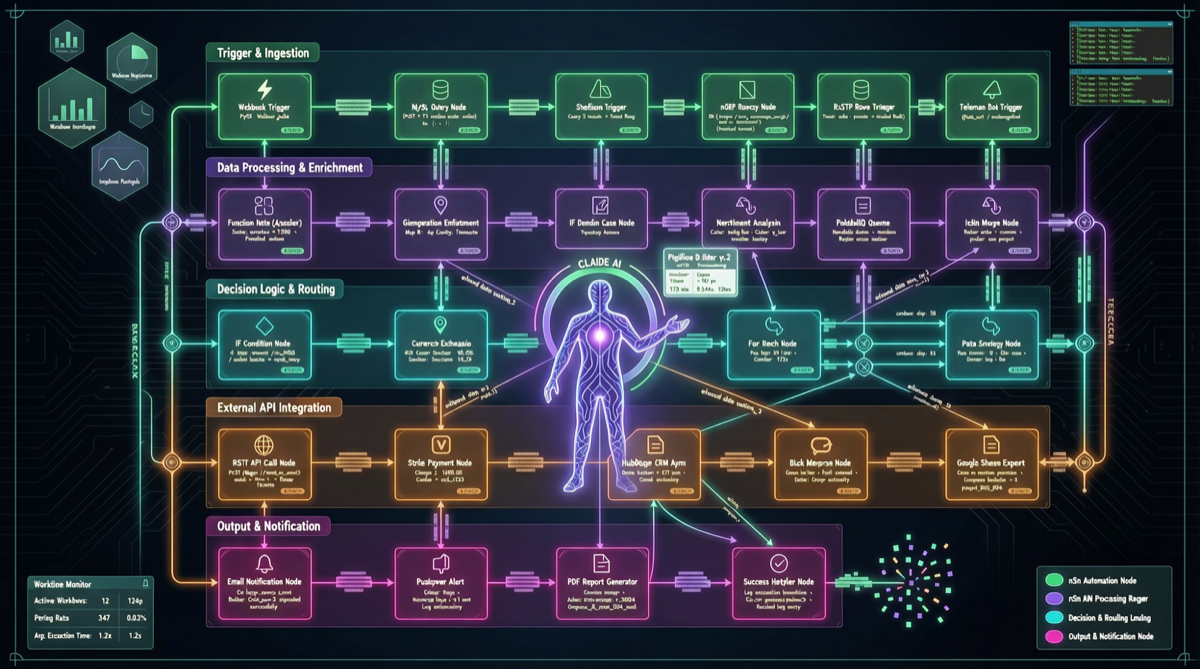
The Pain Point: Building Automation Workflows Is Still Too Hard
n8n is one of the most popular open-source automation workflow platforms, supporting 400+ integrations and visual node orchestration. But its core interaction mode remains manual drag-and-drop — you need to:
- Know which nodes are available
- Understand each node’s input/output format
- Manually connect data flows between nodes
- Configure parameters node by node
For non-technical users or rapid prototyping, this process remains overly cumbersome.
The Solution: MCP Protocol Bridges Claude and n8n
n8n-mcp builds a bridge between AI tools like Claude and n8n through the Model Context Protocol (MCP). The core idea is elegantly simple:
You describe the automation you want in natural language, and AI generates and deploys the n8n workflow directly.
Technical Architecture
Claude Desktop / Cursor / Windsurf
         ↓ MCP Protocol
    n8n-mcp Server
         ↓ REST API
    n8n Instance
The MCP protocol enables Claude to:
- Read existing n8n workflow structure and configuration
- Create entirely new workflows, including nodes, connections, and parameters
- Edit specific nodes in existing workflows
- Execute test runs and return results
Real-World Example
You can simply chat with Claude Desktop:
“Create an automation: whenever I receive an email with ‘invoice’ in the subject, extract the PDF attachment, OCR the amount and date, write to Google Sheets, and send a Slack notification.”
Through n8n-mcp, Claude automatically:
- Creates an email trigger node (Gmail/IMAP listener)
- Adds keyword filtering conditions
- Adds a PDF extraction node
- Connects an OCR service node
- Configures a Google Sheets write node
- Sets up a Slack notification node
- Correctly connects all data flows
All without ever opening n8n’s visual editor.
Comparison with Similar Solutions
| Solution | Interaction Mode | Learning Curve | Flexibility | n8n Support |
|---|---|---|---|---|
| n8n native editor | Drag-and-drop nodes | Medium | Extremely high | Native |
| n8n-mcp | Natural language | Low | High (AI-generated + manual fine-tuning) | Full |
| Claude generates JSON directly | Chat → copy-paste | Low-Medium | Medium (requires manual import) | Indirect |
| Other AI plugins | Partial support | Medium | Low | Limited |
n8n-mcp’s core advantage is bidirectional interaction: Claude not only generates workflows but can also read and understand existing workflow logic for incremental modifications.
Project Metrics
- GitHub Stars: 19,257 (264 daily increase)
- Forks: 3,219
- Author: @czlonkowski
- License: Open Source
- Supported clients: Claude Desktop, Claude Code, Windsurf, Cursor
19K+ stars indicate broad community recognition, and the 264 daily star increase shows sustained market momentum.
Getting Started
1. Install n8n
npm install n8n -g
n8n start
Or with Docker:
docker run -it --rm \
  --name n8n \
  -p 5678:5678 \
  n8nio/n8n
2. Install n8n-mcp
npm install -g @czlonkowski/n8n-mcp3. Configure Claude Desktop
Add the MCP server to your Claude Desktop configuration:
{
  "mcpServers": {
    "n8n": {
      "command": "n8n-mcp",
      "args": ["--n8n-url", "http://localhost:5678"]
    }
  }
}
4. Start Conversing
Restart Claude Desktop and simply describe the automation you want.
Cost Estimate
| Component | Cost |
|---|---|
| n8n (self-hosted) | Free (open-source) |
| n8n-mcp | Free (open-source) |
| Claude Pro | $20/month |
| Cloud hosting (optional) | $5-20/month |
Total monthly cost stays within $25-40, significantly below commercial automation tools like Zapier Pro at $49/month.
Why This Matters
n8n-mcp’s significance goes beyond a single tool — it validates a larger trend: the MCP protocol is becoming the standard channel for AI tools to integrate with external systems.
After browser operations, code editing, and file management, workflow automation is MCP’s next major landing scenario. Once AI can directly manipulate your automation infrastructure, the “describe requirements → auto-deploy” paradigm will become the new default way of working.