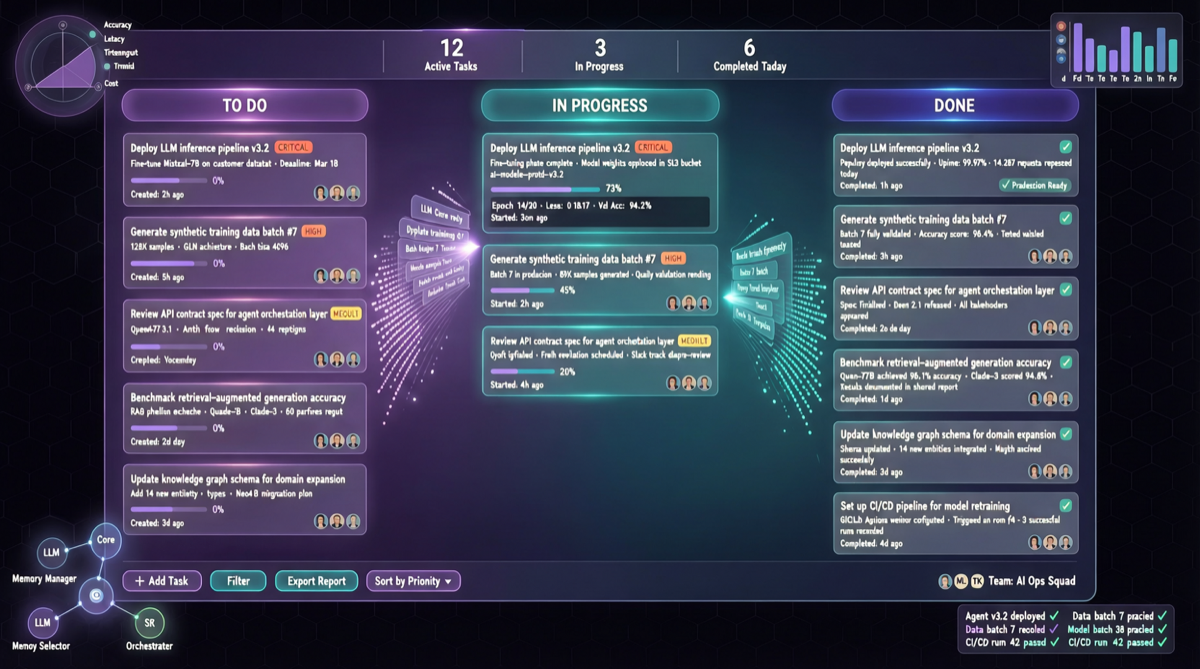
Key Takeaway
The Kanban feature introduced in Hermes Agent V0.12 is not a simple UI upgrade—it gives AI agents autonomous task management capabilities for the first time: self-assigning tasks, parallel execution, and judging when to hand off. Humans are demoted from “operators” to “supervisors.”
What Problem Does the Kanban Solve
Before V0.12, the typical Hermes Agent workflow looked like this:
Terminal 1: Start Agent → Wait for completion
Terminal 2: Start another Agent → Wait for completion
Terminal 3: Check previous Agent status → Manual intervention
...Switching back and forth, humans become the busiest ones
V0.12’s Kanban turns all of this into a single view:
┌──────────────────────────────────────┐
│  📋 Hermes Agent Kanban              │
├────────────┬──────────┬─────────────┤
│  To Do      │ In Progress│ Completed   │
│  ├ Task A  │ ├ Task B │ ├ Task C   │
│  ├ Task D  │ ├ Task E │ └ Task F   │
│  └ Task G  │ └ Task H │            │
└────────────┴──────────┴─────────────┘
Three Key Capabilities Breakdown
1. Self-Assignment
Agents no longer require manual task allocation by humans. They autonomously claim work from the pending queue based on their capabilities, current load, and task priority. This means:
- When a new task enters the queue, the agent self-evaluates whether it can handle it
- If yes, it starts immediately; if not, it marks it as “needs human intervention”
- Multiple agents won’t grab the same task—built-in coordination mechanism prevents conflicts
2. Parallel Execution
The Kanban naturally supports parallelism. Multiple agents can simultaneously process different task cards without interference.
| Scenario | Before V0.11 | V0.12 Kanban |
|---|---|---|
| Processing 5 tasks simultaneously | Serial queuing or manual multiple terminals | Kanban auto-assigns, parallel progress |
| Monitoring progress | Checking logs terminal by terminal | One Kanban for global visibility |
| Task dependencies | Manual orchestration | Agent auto-detects dependency relationships |
3. Blocked Handoff
This is the most revolutionary capability. When an agent encounters a problem it cannot solve:
- Auto-mark: Moves the task card to the “Blocked” column
- Context transfer: Attaches complete execution logs and failure reasons
- Handoff waiting: Waits for another agent or human to take over
- Resume notification: When the task resumes, the original agent receives a notification
Practical Workflow Example
Suppose you need to build an SEO content matrix:
1. Create a Kanban, add 10 keyword tasks
2. Hermes Agent auto-claims tasks and starts parallel execution
3. Agent A handles 3 keywords, Agent B handles 4
4. Agent C encounters a task requiring real-time data query → marks as blocked
5. You receive a notification and manually provide an API Key
6. Agent C resumes execution and completes remaining tasks
7. Kanban shows 10/10 complete
Throughout the process, you only need to watch progress on one screen, occasionally intervening for blocked tasks.
Why Hermes Can Do This
Hermes Agent’s architecture has several key advantages:
- Open-source local execution: Agents run on your own server, 24/7 uninterrupted
- Multi-model support: Can connect to Qwen, Claude, GPT, and other models as underlying engines
- Telegram/Slack/Discord integration: Progress reports pushed directly to your preferred communication tools
- Persistent memory: Agents remember previous context and preferences
Action Recommendations
- Existing Hermes Agent users: Upgrade to V0.12 and immediately enable the Kanban feature, migrating your daily workflows onto it
- Teams considering introducing agents: Hermes’ Kanban is open-source and can be deployed at zero cost on existing servers
- Multi-task parallel scenarios: Content production, code review, data analysis—the Kanban’s parallel capabilities can significantly boost throughput