Core Features
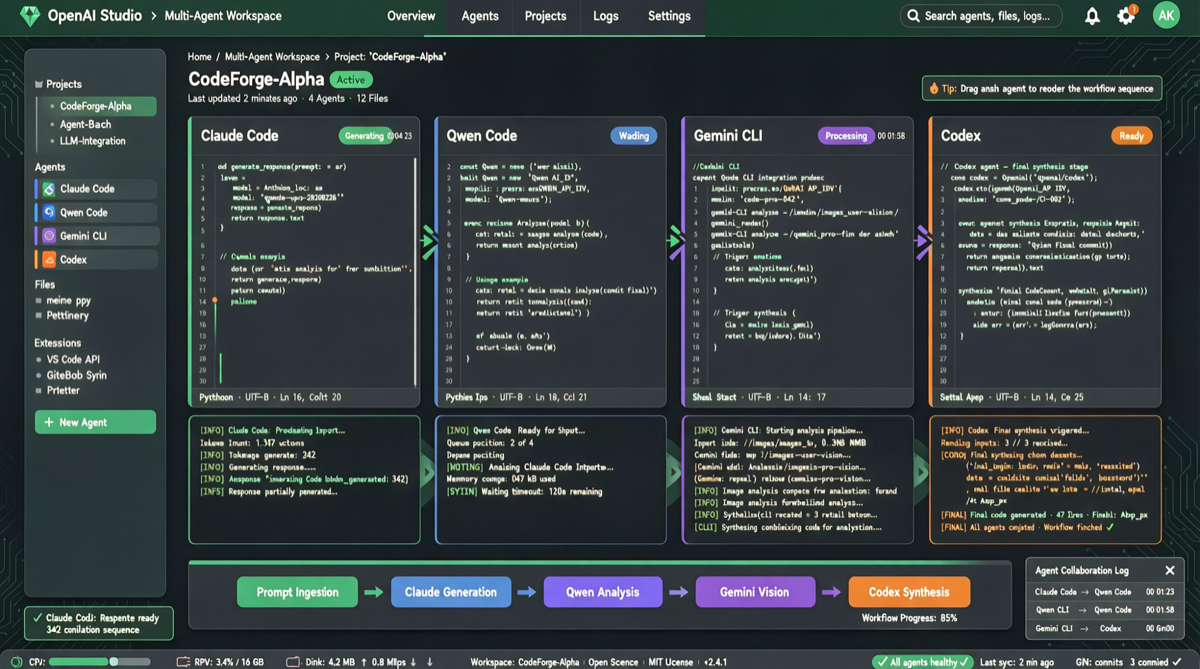
The open-source version of Cowork has been officially released on GitHub, positioning itself as a 24/7 online AI work partner. It addresses an increasingly real pain point: when your team simultaneously uses Claude Code, Gemini CLI, Qwen Code, Codex, and multiple other Coding Agents, how do you efficiently switch and collaborate between them?
Cowork’s answer: Give all AI Agents a unified interface, letting them run centrally with transparent control.
Key Capabilities
Multi-Agent Unified Access
Cowork supports connecting to virtually all mainstream Coding Agents:
- Claude Code (Anthropic)
- Gemini CLI (Google)
- Qwen Code (Alibaba)
- Codex (OpenAI)
- And any Agent following the ACP (Agent Communication Protocol)
This means you no longer need to switch back and forth between multiple terminal windows — Cowork provides a unified control panel.
24/7 Continuous Operation
Unlike traditional “conversational” AI tools, Cowork is designed as a continuously online background work partner:
- Installed locally, always on standby
- Can receive tasks asynchronously and notify you upon completion
- Supports scheduled tasks: for example, automatically pulling the latest code, running tests, and generating reports every morning
Local Transparency and Control
All operations run locally, which means:
- Code is not uploaded to third-party servers
- You can see the operation logs of each Agent in real time
- You can interrupt or roll back Agent operations at any time
In the current context of growing AI security concerns, this transparency is an important selling point.
Use Cases
Use Case 1: Asynchronous Code Review
Before leaving work, drop a PR link to Cowork, and the next morning you’ll see code review opinions from Claude Code and Qwen Code from different perspectives.
Use Case 2: Multi-Model Comparison Testing
Send the same task to both Claude Code and Gemini CLI simultaneously, comparing their implementation approaches and code quality — this is very useful for technology selection.
Use Case 3: Automated Workflows
Configure scheduled tasks: automatically execute code formatting, dependency updates, and security scans every night, then review the results directly the next day.
Industry Trend Signals
The emergence of Cowork reflects three trends in the AI developer tools space:
1. From “Single-Model Tools” to “Multi-Agent Orchestration” Developers are no longer satisfied with using just one AI tool. Different models have their own strengths in different tasks, and platforms like Cowork make multi-model collaboration feasible.
2. Return to Local Deployment After the cloud AI frenzy, developers are beginning to re-emphasize local execution. Cowork’s “all running under your watch” is precisely a response to this need.
3. AI Agents Becoming “Infrastructure” When AI Agents shift from “occasionally used tools” to “daily work infrastructure,” the demand for management platforms naturally arises. Cowork is the product of this trend.
Comparison with Existing Tools
| Feature | Cowork | OpenClaw | Claude Code |
|---|---|---|---|
| Multi-Agent Support | ✅ Unified interface | ❌ Single Agent | ❌ Single Agent |
| Local Execution | ✅ | ✅ | ✅ |
| 24/7 Continuous Operation | ✅ | Partial | ❌ Interactive only |
| Open Source | ✅ | ✅ | ❌ |
| Operational Transparency | Fully transparent | Partial | Limited |
Cowork’s unique value lies in horizontal integration — it is not an Agent itself, but rather an orchestration layer that enables multiple Agents to work together. This stands in sharp contrast to OpenClaw’s “single Agent evolution” approach.