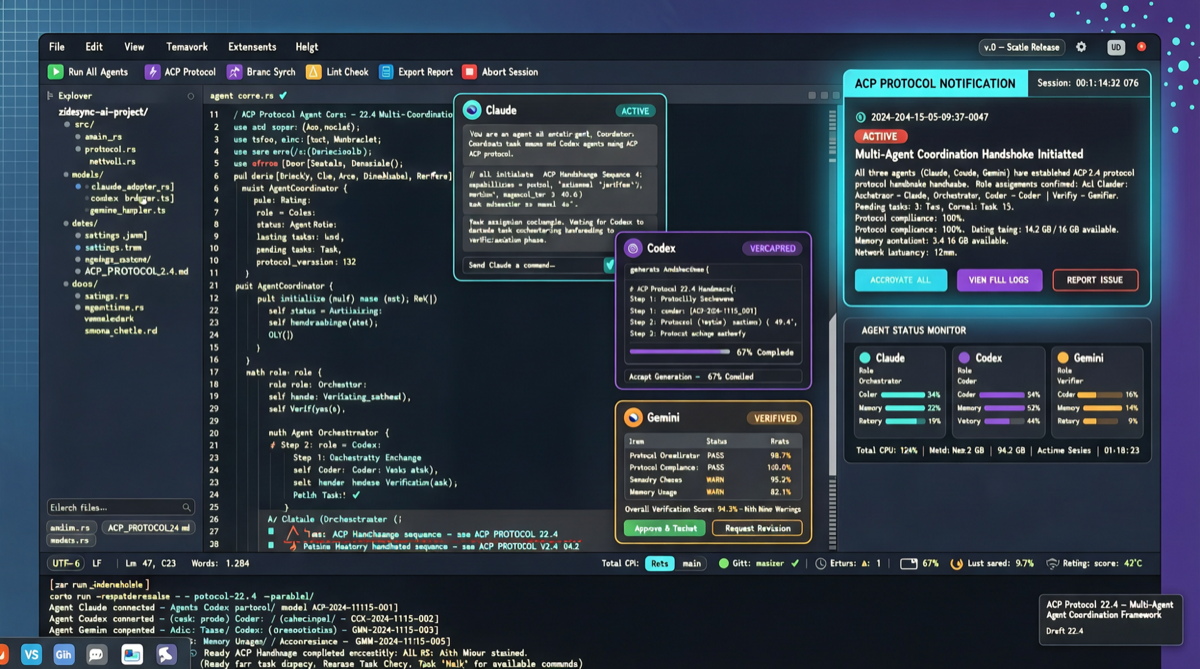
Zed editor just released version 1.0. Most media coverage focuses on the “version number,” but the real story is anything but that — Zed 1.0, through the ACP (Agent Communication Protocol), transforms the editor from a code editing tool into a unified orchestration center for all Code Agents.
What Happened
Zed 1.0’s core changes can be summarized in three points:
1. Native ACP Protocol Support: Launch Claude Agent, Codex CLI, OpenCode, Cursor CLI, Gemini CLI directly within the editor — even domestic tools like Kimi CLI and Qoder CLI are already on the support list. These agents no longer fight separately through VSCode plugins or terminal windows — they share the same context awareness layer inside Zed.
2. Parallel Agent Work Manager: You can start multiple agent instances simultaneously, each handling different tasks (one fixing bugs, one writing tests, one refactoring), and Zed’s ACP panel aggregates progress from all agents, notifying you when tasks complete. This means “multi-agent collaboration” gets native editor-level support for the first time.
3. Session History Import: Zed supports importing session history from other tools, so developers no longer lose context when switching tools.
Why ACP Matters More Than “Installing a Bunch of Plugins”
The universal dilemma of current AI editors: each agent is an island.
Claude Code has its own CLAUDE.md config, Codex has its own settings, Cursor has its own agent mode. When you want to switch between agents, you need to reconfigure, re-establish context, re-”teach” it to understand your project.
ACP’s approach standardizes agents into a pluggable process layer:
| Capability | Traditional VSCode Plugin Model | Zed ACP Model |
|---|---|---|
| Agent Launch | Each plugin independent process | Unified ACP process management |
| Context Sharing | Plugins cannot communicate | Shared project context via ACP protocol |
| Notification | Each plugin’s own UI | Unified ACP notification panel |
| Session Migration | Impossible | Supports importing other tools’ history |
| Parallel Execution | Manual terminal switching needed | Native parallel agent work manager |
Real Experience: How Multi-Agent Collaboration Works
Based on community developer feedback, a typical multi-agent workflow looks like this:
1. Open project in Zed
2. Launch Agent A (Claude): Handle core business logic refactoring
3. Launch Agent B (Codex): Write unit tests in parallel
4. Launch Agent C (Kimi CLI): Review code and generate documentation
5. ACP panel shows real-time progress from all three agents
6. When any agent completes, Zed notifies you via the notification panel
7. All changes presented through Zed's unified diff system
This isn’t “switching between three terminal windows” — it’s true editor-level agent orchestration.
Industry Landscape Assessment
Zed 1.0’s release marks a new phase in AI editor competition:
- Cursor’s moat is the “AI-native editor” brand, but it primarily binds to the Claude ecosystem
- VSCode + plugins wins on ecosystem breadth, but the agent experience is fragmented
- Zed’s strategy is “I don’t make agents, I make the gateway for agents” — a smarter positioning
When an editor can dispatch Claude, Codex, Kimi, and Qoder simultaneously, developers have no reason to be locked into any single agent vendor. Zed may be becoming the “universal remote control” of the agent era.
Action Items
- If you already use multiple Code Agents: Zed 1.0 is currently the only editor offering native multi-agent management — worth 30 minutes to try
- If you only use one agent: Zed’s advantage isn’t obvious short-term, but ACP’s openness means more agents will join over time — long-term migration value
- If you’re building agents: ACP protocol standardization may become the next industry standard — worth understanding its interface design
Zed 1.0 isn’t the endpoint — it’s a signal: the editor battlefield has shifted from “whose AI is stronger” to “who can best manage multiple AIs.”